-
Products
-
Home & Home Office
-
E-Commerce
SSL Certificates Email Certificate Code Signing Certificate Authentication PCI Compliance PC Support Email Security & Messaging Site Seals Endpoint Security E-Commerce Bundle Includes:
EV SSL
Managed DNS
PCI Scanning
Trust Marks
Vulnerability Scanning
Purchase Protection
Customer Reviews - Business & Enterprise
- Partners
- Social Media
Free Internet Security - Complete virus protection and malware removal
Complete protection against viruses and attacks for your computers.
Want to Protect your PC?
Comodo Internet Security can satisfy all your needs
-
Own a Security Suite that will:
- Secures all connections when you are online
- Prevents all viruses and online threats
- Provides fast cloud-based scanning
- Improves your PC performance and efficiency
- Upgrade available: additional features and services
Overview
Features
Frequent
QuestionsSupport
Video
Why Do I Need Internet Security Suite for My PC?
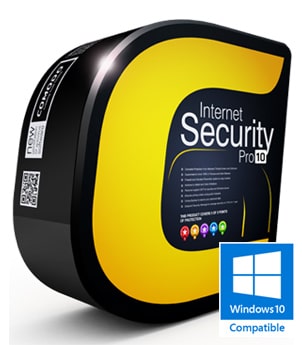
Comodo Internet Security is the free, multi-layered security application that keeps hackers out and personal information in.
Built from the ground upwards with your security in mind, Internet Security offers 360° protection by combining powerful Antivirus protection, an enterprise class packet filtering firewall, advanced host intrusion prevention and automatic sandboxing of unknown files.
Unlike the stripped down versions of commercial software that other software vendors offer for free, this is the full, completely functional version of the product.
Users can upgrade to Comodo Internet Security Pro 2013 for just $19.99 per year and receive unlimited live expert virus removal services and our exclusive Virus Free Guarantee.
The Secrets of Comodo Internet Security
- Antivirus: Tracks down and destroy any existing malware hiding in a PC.
- Anti-Spyware: Detects spyware threats and destroys each infection.
- Anti-Rootkit: Scans, detects & removes rootkits on your computer.
- Bot Protection: Prevents malicious software turning your PC into a zombie.
- Defense+: Protects critical system files and blocks malware before it installs.
- Auto Sandbox Technology™: Runs unknown files in an isolated environment where they can cause no damage.
- Memory Firewall: Cutting-edge protection against sophisticated buffer overflow attacks.
- Anti-Malware Kills malicious processes before they can do harm.
System Requirements:
Windows 7 / Vista / XP SP2/ Windows 8, 152 MB RAM / 400 MB space
Release Details:
Release Date: December 19, 2012, Update: Latest release notes
Still not sure about upgrade?
What makes Internet Security different?
- Default Deny Protection (DDP)
- Known and listed PC-safe files and applications are easily idenfied and able to access your PC.
- Prevention-based protection
- Firewall and Antivirus combine to stop viruses and malware before they enter the PC.
- Auto Sandbox Technology™
- The sandbox is a virtual operating environment for untrusted programs – ensuring viruses and other malicious software are completely isolated from the rest of your computer.
- Personalized protection alerts
- Firewall quickly learns the rules you set for downloading software, and adjusts its alerts accordingly to fit your needs.
- Spyware Scanning
- Spyware Scanner detects and cleans malware infections in PC registry and disks.
- Cloud based Antivirus
- Cloud based antivirus scanning detects malicious file even if a user does not have up-to-date virus definitions.
- Cloud based Behavior Analysis
- Cloud based behavior analysis system detects zero-day malware INSTANTLY.
- Cloud based Whitelisting
- Cloud based whitelisting of trusted publisher easily identifies a safe file and vendor
- Malicious website filtering
- Our SecureDNS service helps keep you safe online by consulting a real-time blacklist of dangerous websites and warning you if you attempt to connect to one (must be enabled during installation)
- Game Mode
- Suppresses operations that could interfere with a user’s gaming experience such as alerts, virus database updates or scheduled scans.
- Application Control
- Provides users with the ability to lockdown their PC so only known good applications can run.
- One-click virus scanning
- Make sure your PC is clean with one simple button click.
- Uncluttered, user-friendly interface
- Quickly navigate through the various parts of Firewall protection without getting lost.
- Thorough security "wizards"
- Preset security settings for simple point-and-click setup.
- Unique "slider" to easily change your current security level
- Easily switch between presets to reflect your security preference at any given time.
- Exclusive access to Comodo's "safe-list"
- List of over two million known PC-friendly files and applications so safe files and apps are allowed to run.
System Requirements:
- Windows 7 / Vista / XP SP2 32-bit
152 MB RAM / 400 MB hard disk space - Windows 7 / Vista / XP SP2 64-bit
152 MB RAM / 400 MB hard disk space
Frequent Questions
- What makes Internet Security better than my current Antivirus and Firewall combo?
- Internet Security is a security suite plus. More than just an antivirus program, it also includes an award-winning firewall, host intrusion prevention, a sandbox for untrusted software, anti-malware and buffer overflow protection to deliver comprehensive protection against today's diverse range of threats.
- What makes Comodo's Internet Security product different from the others?
- It's simple: prevention-based, Default Deny Protection. It works by only allowing trusted files to run on your system. Files that are not trusted are run inside the new sandbox
- What is the sandbox and how does it protect me?
- The sandbox is a virtual operating environment created within your computer for unknown and untrusted programs. Internet Security automatically runs untrusted programs in the sandbox where they cannot make changes to processes, programs or data on your 'real' system. This protection goes well beyond traditional Antivirus software by ensuring any brand new viruses are completely isolated and cannot cause damage.
- Will programs run OK in the Sandbox?
- Yes. Applications in the sandbox are run under a carefully selected set of privileges and will write to a virtual file system and registry instead of the real system. This means untrusted (but harmless) applications have the freedom to operate as usual while malicious programs are prevented from accessing or infecting your computer. This provides smoothest and most secure user experience possible.
- Do programs stay in the Sandbox forever?
- No – the sandbox is the first part of a trust decision engine. After an unknown application has been placed in the sandbox, Internet Security will also automatically queue it for submission to Comodo labs where it will be analyzed by our technicians. If it is found to be harmless then it will be added to the global safe list that will be downloaded by all Internet Security users in the next round of updates. Once it is added to the safe list, the application will no longer be run in the sandbox by Internet Security. If it is found to be malicious then it will be added to Comodo's list of malware signatures and will be deleted after the next round of updates.
- Is it free for business users too?
- Yes. However, enterprises looking to implement Internet Security on large networks of workstations would benefit from the centralized management capabilities of Comodo Endpoint Security Manager (CESM).
- Can I install only the Firewall or only the Antivirus?
- Yes – you are given the option to install exactly the components you want during setup.
Chat Support
When downloading the software you will also receive access to a GeekBuddy expert, available 24/7. Click on Chat Now from your Management Interface or click on the GeekBuddy icon on your desktop.
Email Support
For technical product questions visit our Support Home Page click on the "Submit a Ticket" link and select "Internet Security Support" from the dropdown menu and submit.
Phone Support
For product information or to speak with a sales representative call 888-351-8212. For technical support questions call 1-877-712-1309. Make sure to have your order number or subscription information available.
Online Help Guide
Check out our Online Help Guide for tips on how to use and configure our products and for detailed technical information.
Forum & Knowledgebase
Our Forum is populated with fellow Comodo users and developers alike and can quite often be the quickest and friendliest way to find answers to questions that you have.
Submit Files for Analysis
User submitted files are a very important element in helping us to maintain the most accurate and up to date database of viruses and malware. Submit here to send a file to Comodo that you suspect is a Virus, Trojan or other type of malware or to send a file to Comodo that you suspect is a False Positive.
Trusted Vendors
Request the addition of your software to the Trusted Vendor List that ships with Comodo Antivirus. To sign up as a Trust Vender click here
Download Antivirus Database
Our AV Labs around the world publish existing, newly detected or recently modified virus definitions. The complete antivirus database is available for download. This is useful for those users that wish to manually replace the existing database.
Comodo Internet Security offers complete protection from viruses, Trojans, worms, buffer overflows, zero-day attacks, spyware and hackers. Comodo Internet Security alerts you whenever potential malware attempts to attack or gain access to your system.
Comodo Internet Security program combines powerful antivirus protection, an enterprise class packet filtering firewall, advanced host intrusion prevention, application control and anti-spyware in one supremely powerful application.
Built from the ground upwards with your security in mind, free Internet Security offers 360° protection by combining powerful Antivirus protection, an enterprise class packet filtering firewall, advanced host intrusion prevention and automatic sandboxing of unknown files.
Comodo's Internet Security suite differs from traditional antivirus software in that it also includes other layers of protection, including anti-spyware, parental controls, privacy protection and much more. This Free Internet Security suite is a complete package that you can download and install for peace of mind.
Using this free internet security software, you defend your PC from malicious software such as viruses, you prevent your personal information from being stolen and you protect your children from Internet dangers.
888-351-8212
Defending a network?
Centralize administration of business computers with Comodo Endpoint Security Manager
Improve your defences against phishing and malware. Reduce bandwidth lost to unwanted email traffic. Reclaim your mailstore.
Comodo Antispam Gateway for on-site of hosted mail-servers stops spam. Period.