Comodo Secure DNS
Enjoy a safer, smarter and faster Internet

Enjoy a safer, smarter and faster Internet

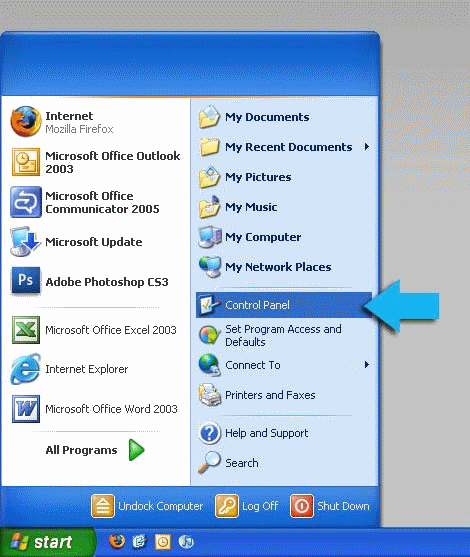
1. Select Control Panel from the Start menu.
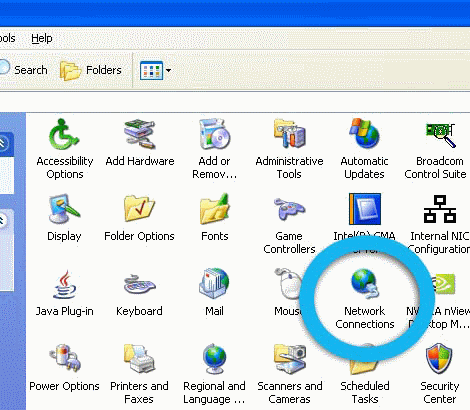
2. Click Network Connections from the Control Panel choices.
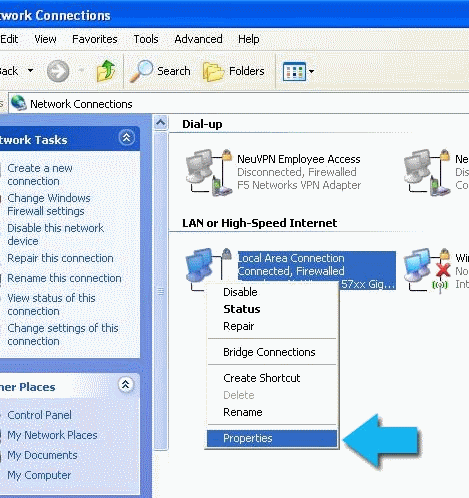
3. Right click on your connection from the Network Connections window and click Properties.
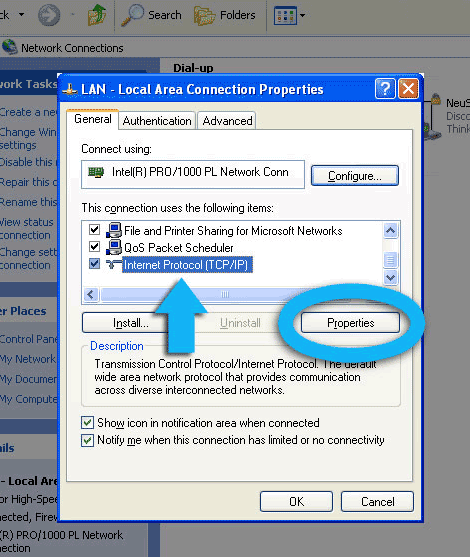
4. Select Internet Protocol (TCP/IP) and click Properties.
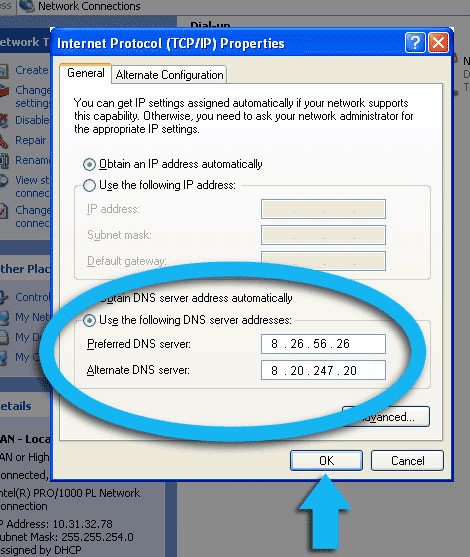
5. Click the radio button Use the following DNS server addresses and type in Comodo Secure DNS addresses in the Preferred DNS server and Alternate DNS server fields.
Please write down your current DNS settings before switching to Comodo Secure DNS, in case you want to return to your old settings for any reason.
Preferred DNS server address for Comodo Secure DNS is: 8.26.56.26
Alternate DNS server address for Comodo Secure DNS is: 8.20.247.20